Intro
Many of you may already know, or have at least heard the news, that in .NET 9 Microsoft is removing Swagger from the API template of ASP.NET Core application projects. As for why they took it out, my guess is that the repository's maintainer may not have been as active as it needed to be. Ref: https://github.com/dotnet/aspnetcore/issues/54599 Or maybe Microsoft has its eye on another tool that could do the job better, and that tool can't be anyone else but Scalar
Scalar
Scalar is a tool for documenting, cataloguing and testing the APIs of the applications we build, based on the OpenAPI standard. Its UX is pretty close to client tools like Postman or Thunder Client, which feels quite different from Swagger, and when it comes to documentation it also does a better job than Swagger.
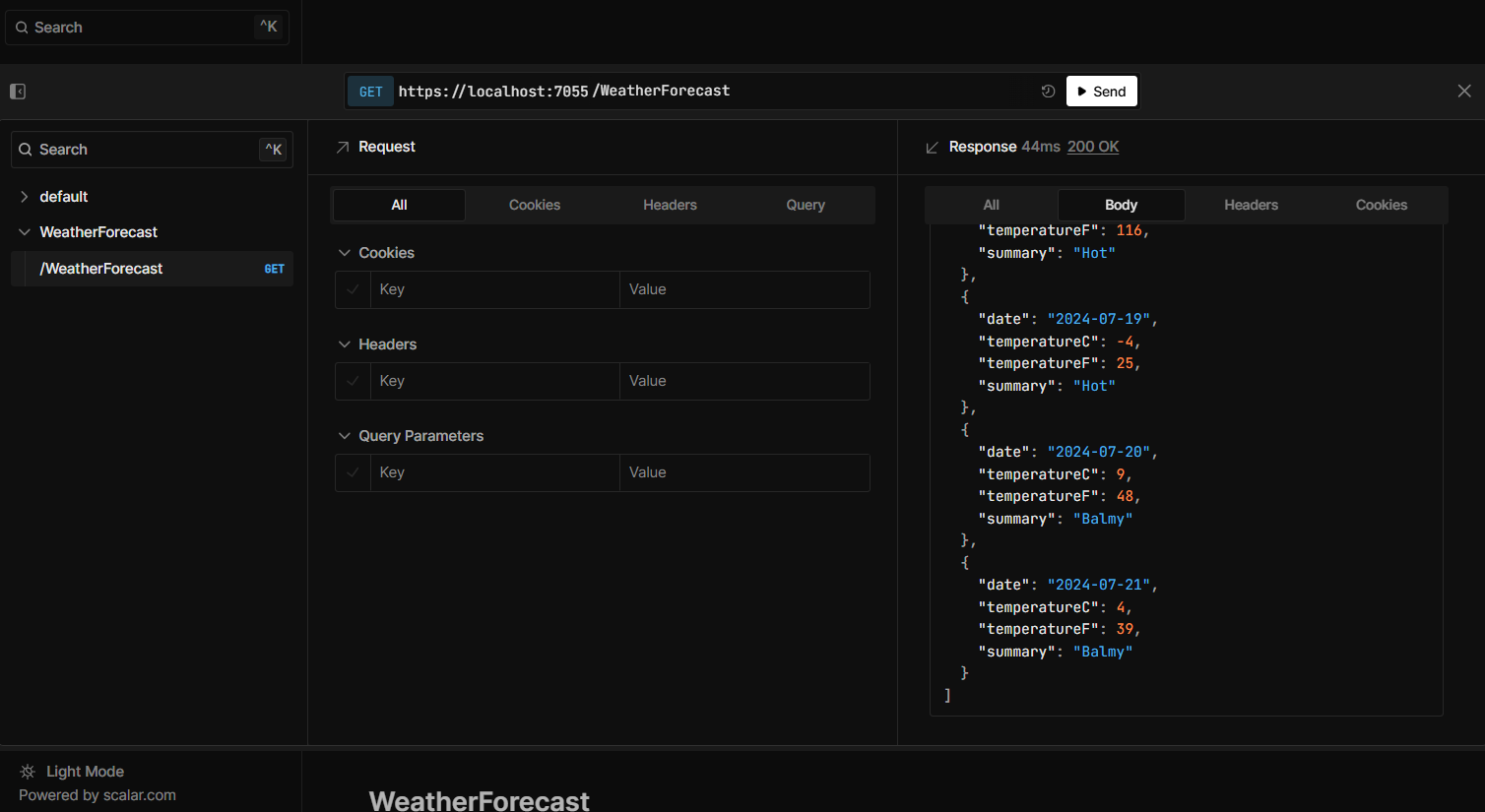
Usage
If you don't want to wait for .NET 9 and want to use Scalar on .NET 8 right now, you can do it easily by running it together with Swagger for the time being. Then, once .NET 9 is released, you can remove Swagger and switch to Microsoft's OpenApi library instead.
Require Dependency
dotnet add package Scalar.AspNetCore
Integrating Scalar with Swagger For .NET8
In .NET 8 the main library from Microsoft (Microsoft.AspNetCore.OpenApi) can't generate the OpenApi document yet, so we still have to rely on Swagger to generate it. What we will do is take Swagger UI out and put Scalar in its place.
using Scalar.AspNetCore;

var builder = WebApplication.CreateBuilder(args);

builder.Services.AddSwaggerGen(c =>
{
    c.SwaggerDoc("v1", new Microsoft.OpenApi.Models.OpenApiInfo
    {
        Title = "My API",
        Version = "v1"
    });
});

var app = builder.Build();

if (app.Environment.IsDevelopment())
{
    // Add swagger middleware for generate OpenApi document.
    app.UseSwagger(c =>
    {
        // change the OpenApi document route template for support Scalar
        // And this will consistent with .NET9 default OpenApi route in future
        c.RouteTemplate = "openapi/{documentName}.json";
    });

    // Add Scalar Endpoint
    app.MapScalarApiReference();

}

app.Run();
Basically, the only things we change are the OpenApi document route, so it lines up with the OpenApi route in the future, and a call to MapScalarApiReference() in the application pipeline for the api reference endpoint.
Run and Test
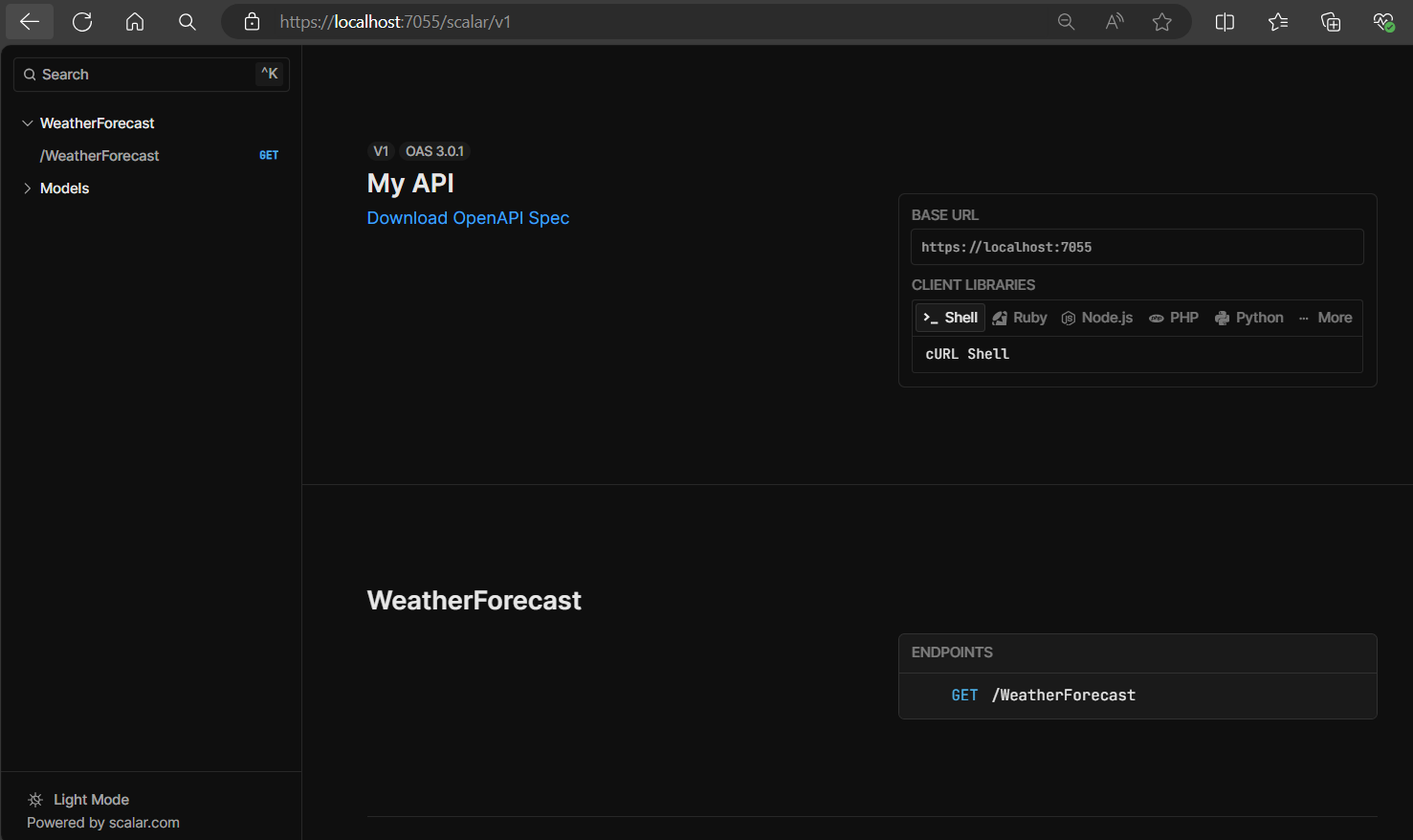
After taking Swagger UI out and putting Scalar in, we can test it by running the project and opening /scalar/v1 in the browser.
For .NET9
Later on, once .NET 9 is released and the project is ready to be upgraded to .NET 9, we can drop Swagger from the Api Reference part entirely and configure the ServiceCollection with AddOpenApi(), plus MapOpenApi() in the application pipeline for the OpenApi document endpoint.
using Scalar.AspNetCore;

var builder = WebApplication.CreateBuilder(args);

builder.Services.AddOpenApi();

var app = builder.Build();

app.MapOpenApi();

if (app.Environment.IsDevelopment())
{
    // Add Scalar Endpoint
    app.MapScalarApiReference();

}

app.Run();
That's it, our project no longer depends on Swagger.
If you're curious and want to play around with Scalar, you can try Scalar's demo at https://docs.scalar.com/swagger-editor
Found this useful? You can support the blog with a coffee.
Buy me a coffee